

Agent Browser displays web pages alongside your conversation. Use it to check a source yourself or ask Research to inspect an interactive page.
Open a source beside your conversation
If you need a reply with a web link, follow Look up a source with Web first.
Select a cited web link in the reply to open the page beside the conversation. If the link opens outside InsightGig, go to Home > Settings > Preferences. Turn off Open web citations in default browser, then return to the conversation and open the link.
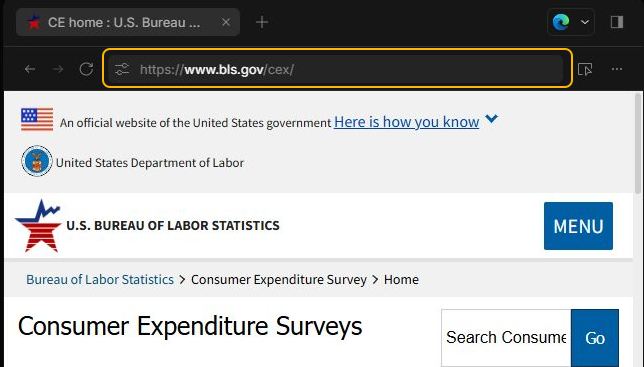
Check the address and page title before you use any information from the page.
Ask the agent to inspect a page
-
In a conversation, select Research and turn on Web in the request box.
-
Type
@browserand select the Browser suggestion. Name the URL and the interaction you need.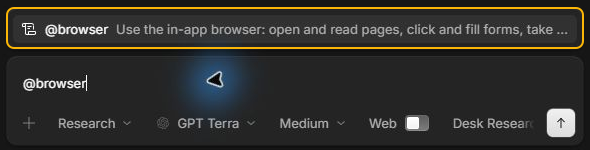
-
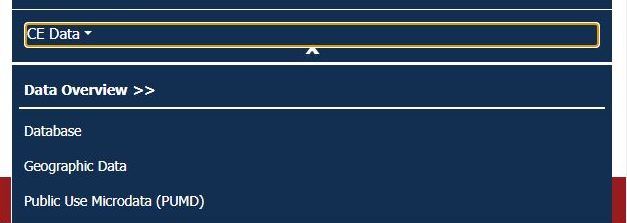
Send the request. For example, ask the agent to open CE Data on the Consumer Expenditure Surveys page and report the links it reveals.
-
Check the page and compare it with the reply. The links can change. If a result came from another page, open the address the agent used before relying on it.
If the agent says Web is off, check the switch and send a follow-up. If you only need a source link or a fact, follow Choose Web or Desk Research.
To practise browser work with a downloadable brief, follow Complete browser tasks with agents. You’ll check the source and reuse terms of a photo, then open the finished slide.