

Use session tabs to move between open research conversations. For example, switch between a retail study’s research question and its interview guide while reviewing the two together.
To practise, open a saved conversation from Send your first request and open a second tab using Start a session. You can close and reopen either tab as you follow the steps.
Use the project and session titles to confirm which conversation you are viewing. The titles reflect the requests you send and may differ from the screenshots.
Choose where tabs appear
-
In InsightGig, go to Home > Settings > Preferences.
-
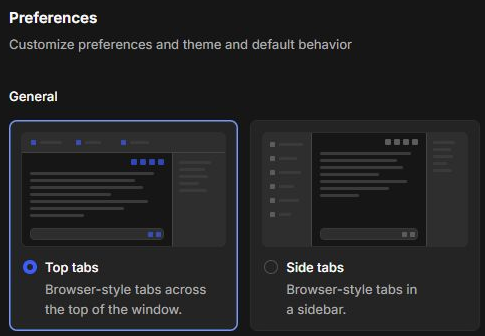
Under General, select Top tabs or Side tabs.
-
Select Back to app to return to your work.
Your open conversations move to the layout you selected. You can change the layout again from Preferences.
Switch between open conversations
Use Top tabs
With Top tabs, the conversations appear in a row at the top of the app. Select a tab to bring its conversation into view. The selected tab is highlighted.

Use Side tabs
With Side tabs, select a conversation in the sidebar. Use the icon labelled Toggle sidebar to show or hide that list.
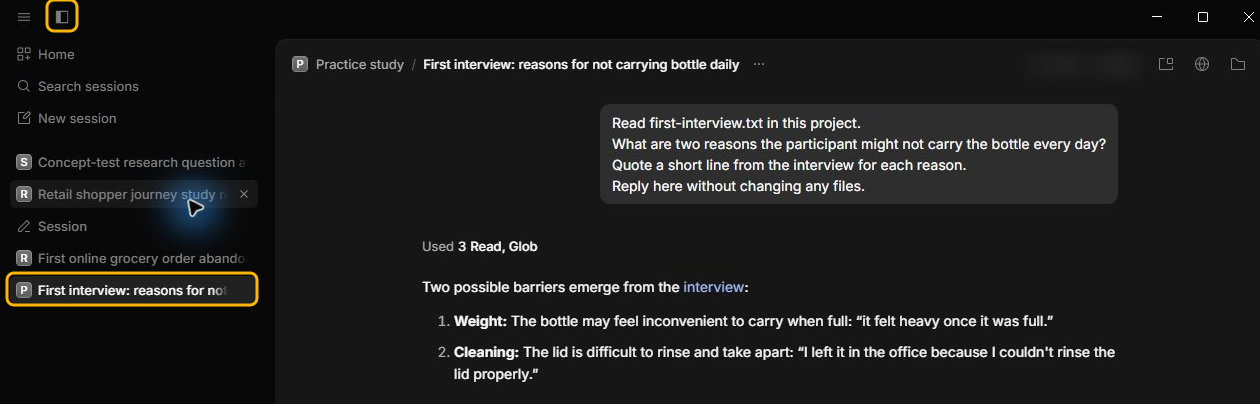
If your app shows Organize vertical sidebar in Settings > Experimental, choose Projects to group side tabs by study. Choose One list to show all open side tabs together.
Close and reopen a tab
-
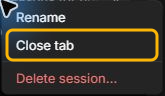
Right-click a tab and select Close tab. The conversation stays saved in its project.
-
To bring it back, right-click New session. With Top tabs, use the plus button in the tab bar.
-
Under Recently closed, select the conversation you want. If the list is long, type part of the title in Search recently closed.
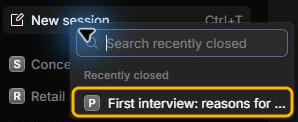
The tab opens again with the saved messages. If the conversation is missing from this list, use Find and reopen sessions to look for it.
Next steps
Check the project name when you switch to another study. To begin a separate task, follow Start a session.