

Workspace admins can find card payments in Invoices in the Console. If InsightGig invoices your company under an enterprise agreement, use the invoice sent by email to your billing contact.
Find a card payment
-
Open your workspace in the Console. Confirm the workspace name beside the InsightGig logo, then go to Settings > Billing.
-
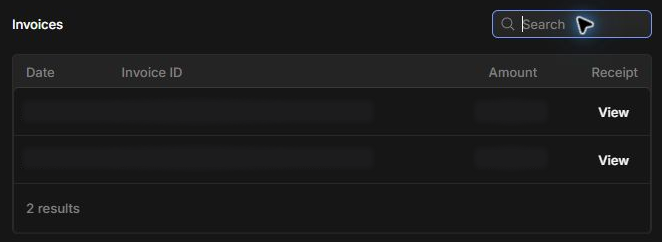
Find Invoices. Match a payment by Date and Amount, or use Search if you know the Invoice ID.
-
Select View in the Receipt column. The available document opens in a new browser tab.
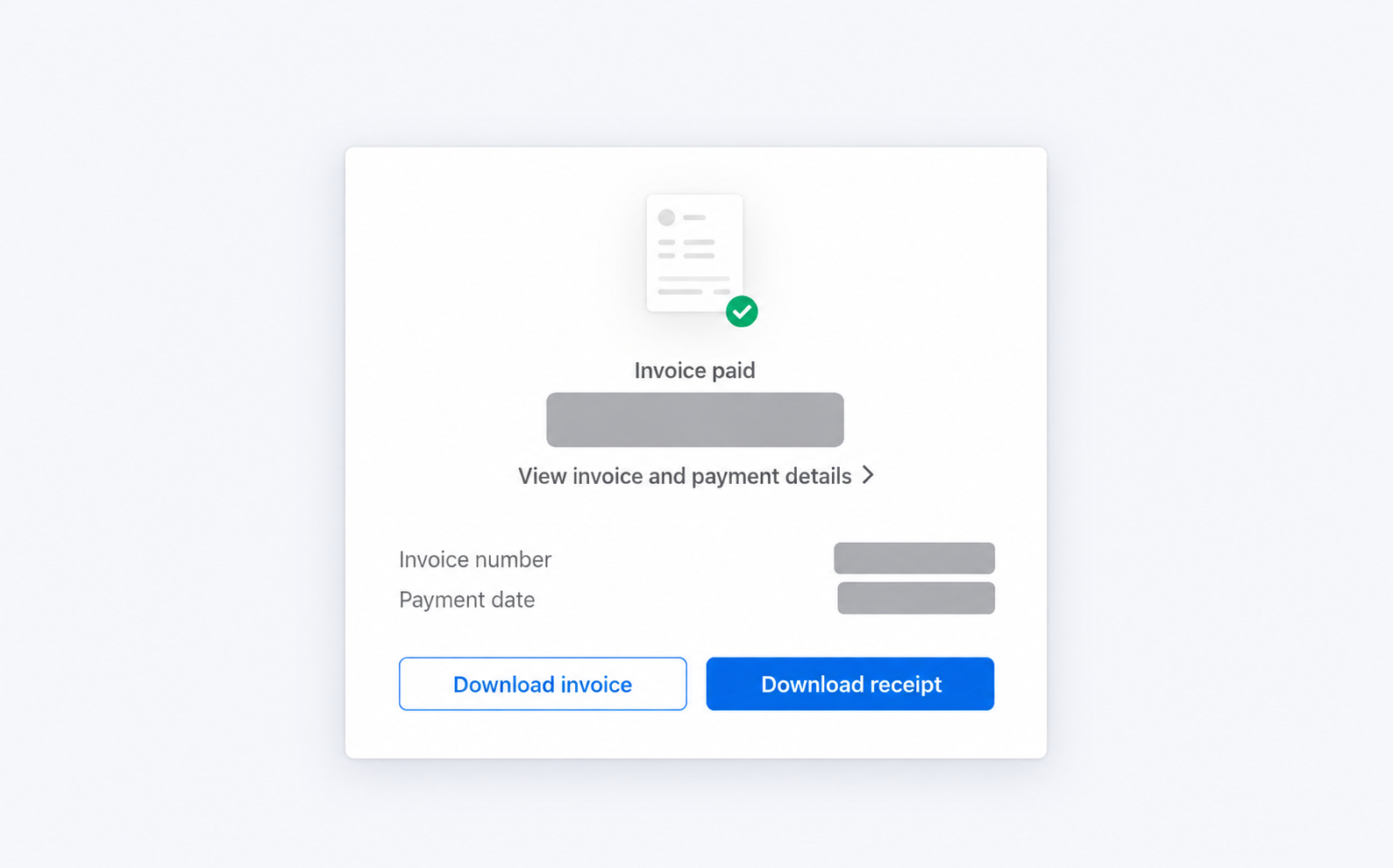
Check the payment date and total before saving the document. Use Download invoice or Download receipt when the payment page offers those options.
Locate an enterprise invoice
Check with the person who receives InsightGig’s invoices for your company. Give them the workspace name and the billing period you need. Contact your InsightGig account contact if your billing team needs another copy.
Resolve a missing payment record
Check the selected workspace and the payment method. If View is absent, the Console has no receipt link for that row.
If you still can’t find the document, follow Get support and give the payment date and Invoice ID where available. Keep card details out of the support request.