

Send your first request using a fictional 30-minute focus group with five respondents. Allow about 15 minutes to open the project, read the reply, and check it against the transcript.
The consumer products team wants to redesign an everyday water bottle. Your task is to find where people’s routines break down and decide what the team should test next.
Before you begin
- Sign in to the desktop app if you have not connected InsightGig to your account.
- Check credits and usage to see your balance. If your balance is empty, follow Buy credits before sending a request.
- In File Explorer, create a folder named
Bottle redesign studyin Documents or another location you can find again. - Download the fictional focus group transcript. Move
bottle-redesign-focus-group.txtfrom Downloads intoBottle redesign study, or save it there when your browser asks.
If you use your own transcript, choose a file with selectable text, such as a Word document or PDF. Adapt the filename and research question in the request.
Open the practice folder
A project connects a folder on your computer to your work in InsightGig.
-
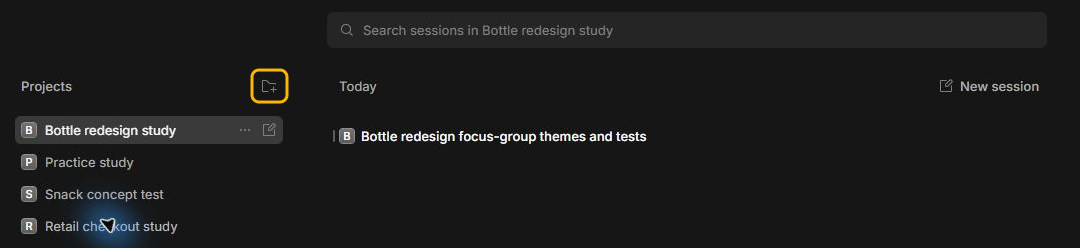
In InsightGig, go to Home. In Projects, select the folder icon with a plus sign.
-
In the Open project window, find and select the
Bottle redesign studyfolder you created in Before you begin. -
Check that the Folder box says
Bottle redesign study, then select Select Folder.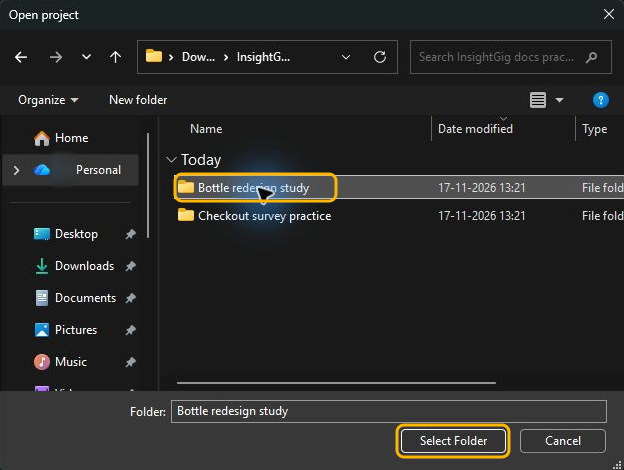
-
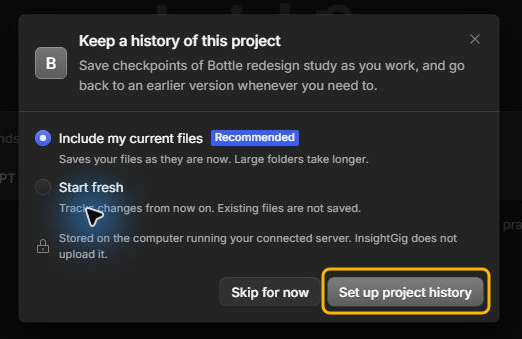
If Keep a history of this project appears, leave Include my current files selected. Select Set up project history to save a starting copy of the practice files.
Ask for a research recommendation
A session is a saved conversation in your project.
-
In Home, select Bottle redesign study in Projects, then select New session. Check that the project name appears under the message box. Use Research for this task.

InsightGig picks a model and thinking level to start. The model answers your request. The thinking level controls how much work it does before replying. Keep both selections for this exercise.
-
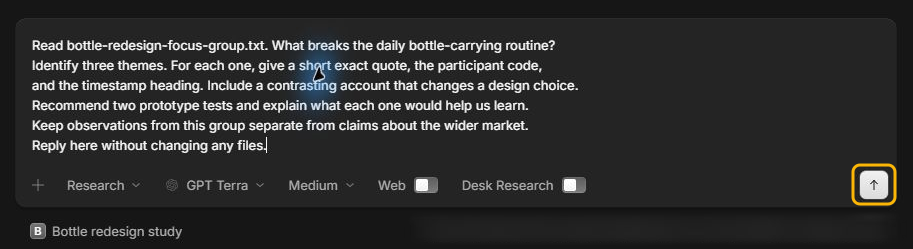
In the message box, paste this request.
Read bottle-redesign-focus-group.txt. What breaks the daily bottle-carrying routine? Identify three themes. For each one, give a short exact quote, the participant code, and the timestamp heading. Include a contrasting account that changes a design choice. Recommend two prototype tests and explain what each one would help us learn. Keep observations from this group separate from claims about the wider market. Reply here without changing any files. -
Select the up arrow in the message box to send the request.
Check the answer
The agent can choose different themes and quotes each time you send the same request. Use Find and preview project files to open bottle-redesign-focus-group.txt. For one quote from your reply, check the words, participant code, and section heading against the transcript.
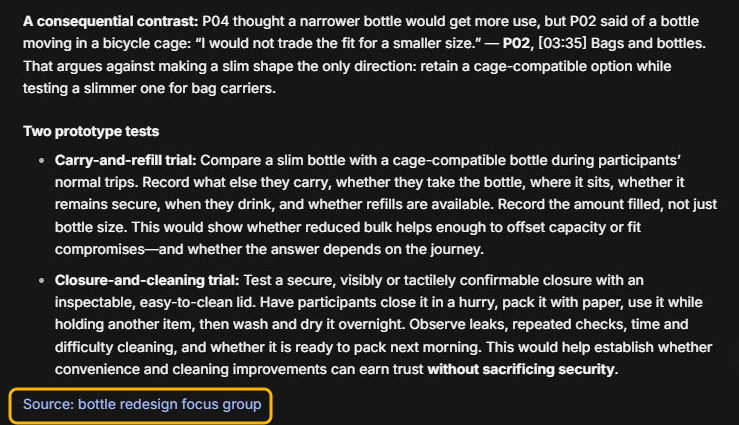
The screenshot shows one way to compare two participants. To check this example, find [03:35] Bags and bottles in the transcript. That heading marks the start of a section 3 minutes and 35 seconds into the discussion.
The transcript uses codes such as P04 and P02 to identify speakers. In Bags and bottles, P04 discusses a narrower bottle. P02 describes why a secure bike-cage fit matters.
Look for a test that follows from what people said, such as packing both prototypes in real bags and checking the closures after travel. The five accounts help you decide what to test next.
Next steps
Use the same session to ask which conditions make a slim bottle worth carrying. When you’re ready to follow a study from source files to results, choose an interview or survey exercise in Research tasks.