

Use notifications to know when a session needs a decision or finishes while you are working elsewhere.
Choose desktop alerts
-
Go to Home > Settings > Notifications.
-
Under Desktop notifications, turn on the events you want InsightGig to report.
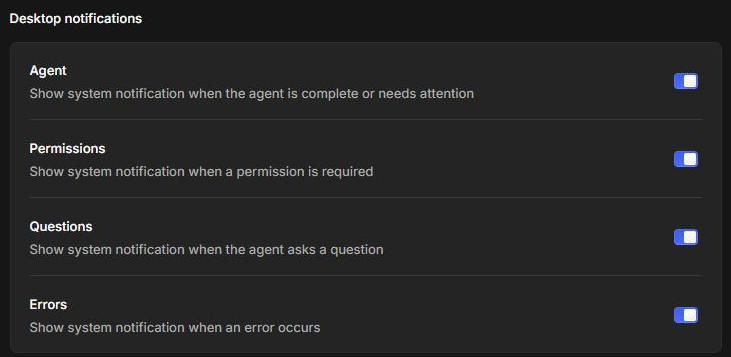
| Setting | Use it to hear about |
|---|---|
| Agent | An agent finishing or needing attention. |
| Permissions | A request that needs permission. |
| Questions | A question from the agent. |
| Errors | An error during work. |
Turn on Permissions and Questions if you often leave a session running while you work in another app. Open the conversation to review the request.
Choose a sound
In Notifications, find Sound effects. Open the menu beside an event and select the sound you want. Desktop alerts and sounds have separate controls.
If alerts are on but you still miss them, check whether Windows allows notifications from InsightGig. You can also track sessions in Inbox.