

Nexus connects the desktop app to the models available through your InsightGig workspace.
Check your connection
Go to Home > Settings > Nexus. A connected app shows Connected to InsightGig Nexus.
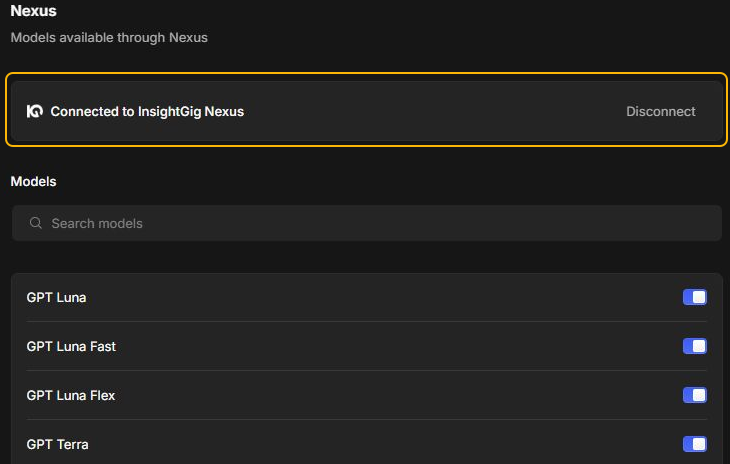
If the app needs a connection, follow Sign in to the desktop app. Use Check credits and usage to check the workspace balance separately.
Adjust model visibility
Under Models, use Search models to find a model. Turn its switch on to show it in the model picker, or off to hide it. Open a session and check the picker after a change.
If a model is still missing, ask an admin to review Manage model access and budgets.
Reconnect the app
If you need to change your connection, finish running work first. Select Disconnect in Nexus settings, then follow Sign in to the desktop app to connect again.